Activity #5 Github Fundamentals

Create step-by-step guide on how to use essential Git commands, including git commit, git pull, git push, git log, and etc.

git clone - This command is used to clone (download) a remote Git repository to your local machine. It creates a directory in your system with all the files and commits from the remote repository.

git init - This command initializes a new Git repository in your project directory. Run it in the root of your project. It creates a hidden .git folder, which contains all the information Git needs to track changes.
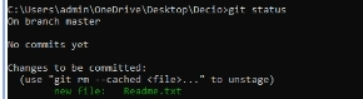
git status - This command displays the status of your working directory and staging area. It shows which files are staged for the next commit, which are not tracked, and which have been modified.

git add . - This command stages all the changes (new, modified, and deleted files) in your working directory to be included in the next commit.
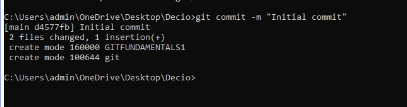
git commit - This command commits the staged changes to the local repository with a message explaining what the commit does.

git branch
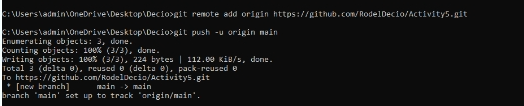
git remote - This command adds a remote repository (e.g., a GitHub repository) and assigns it the origin.
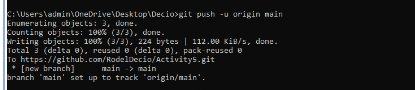
git push - This command pushes your committed changes from your local repository to the remote repository on the main branch.
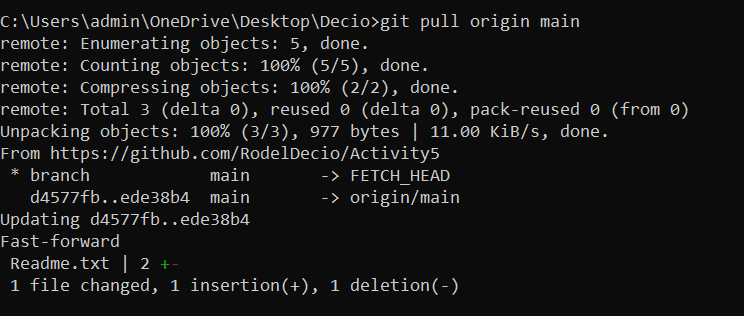
git pull - This command pulls the latest changes from the remote repository to your local repository. It fetches the changes and merges them into your current branch.

git log - This command displays the commit history of your repository. It shows the hash, author, date, and message of each commit.
Github repository: https://github.com/RodelDecio/Activity5.git